Widgets & sounds
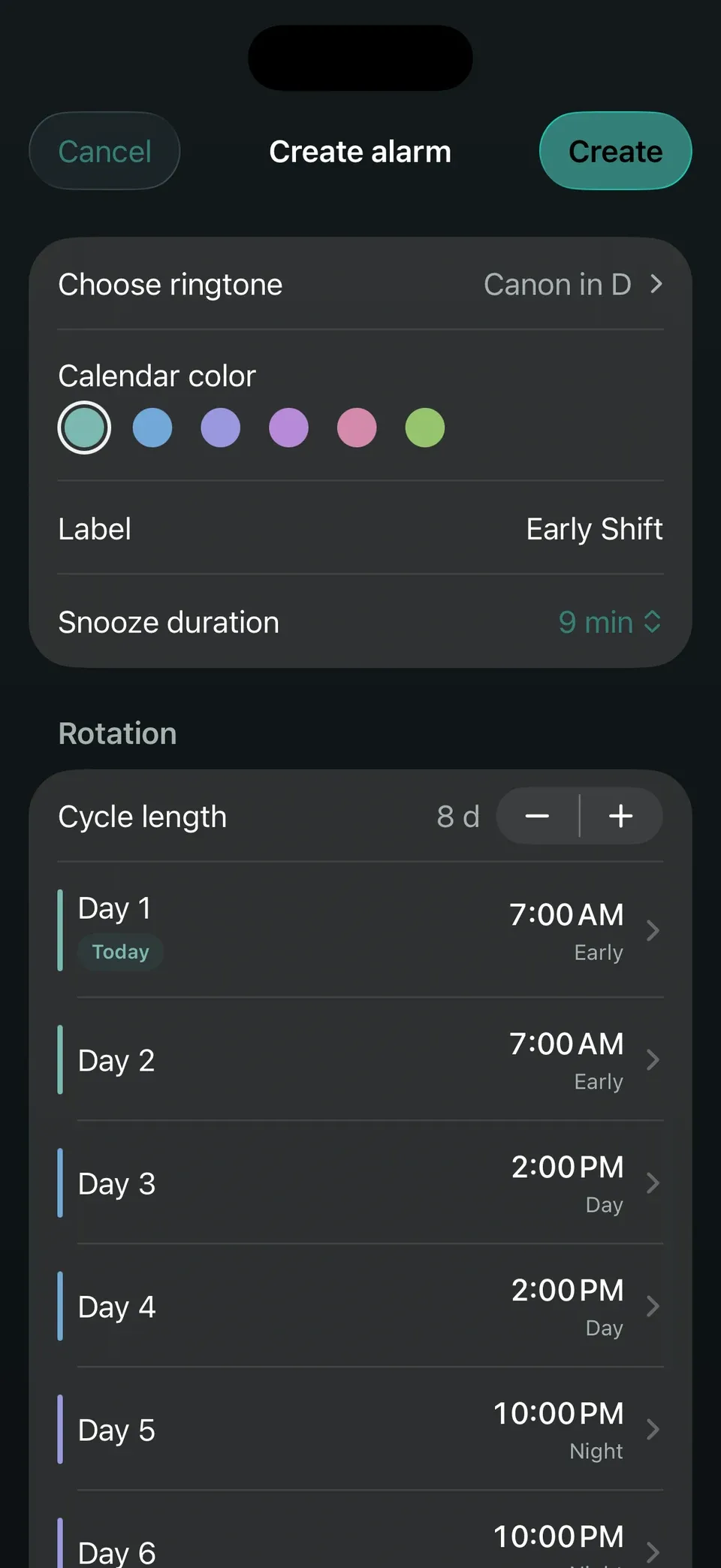
Lock Screen and Home Screen widgets show the next ring, with custom sound import.
Shift-work alarm · iPhone
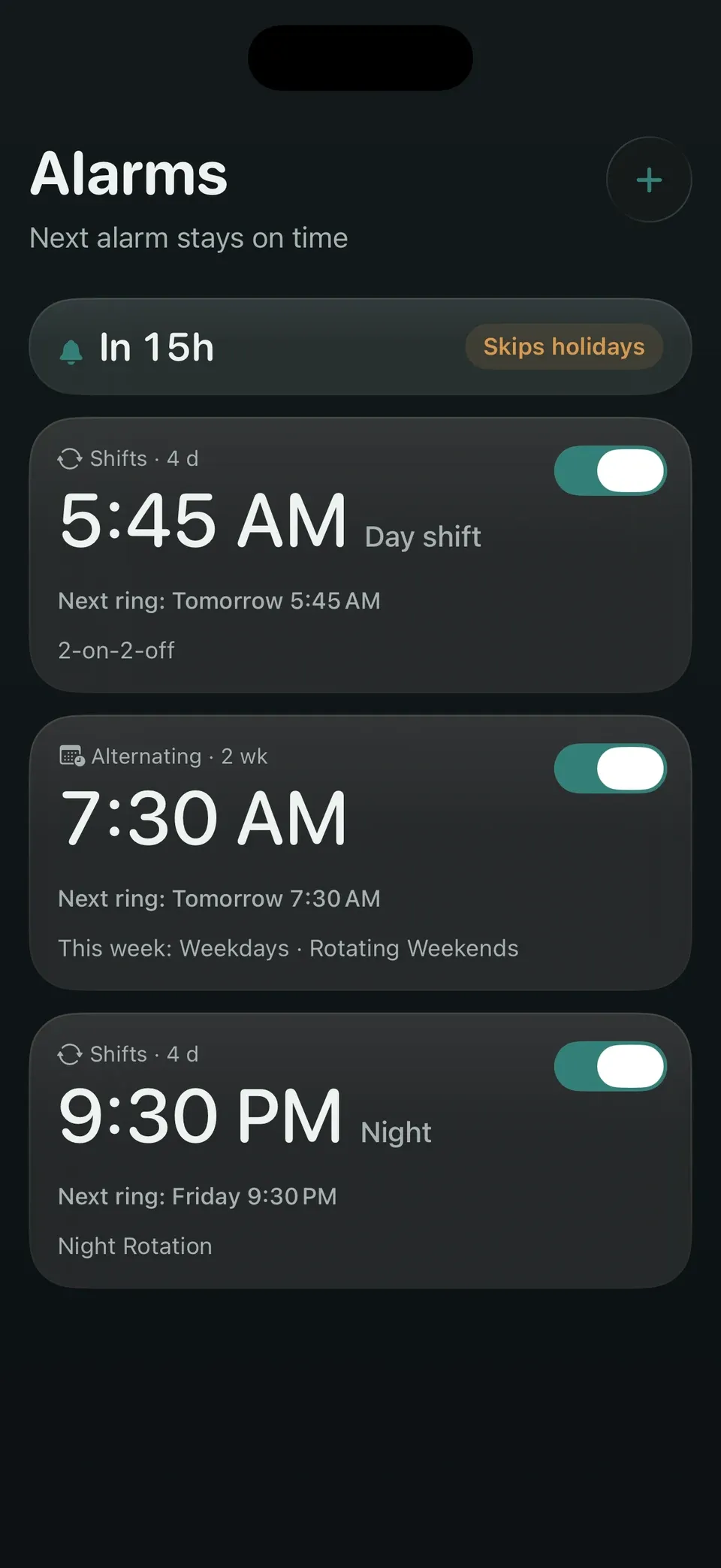
Alternating weeks, rotating shifts, public holidays — OnDot Alarm schedules around your real life, so you never edit alarms week to week.
Free download · Core scheduling always free · Pro includes a 7-day trial
CYCLE
Repeats by weekday only — a seven-day loop where weekends all ring or all stay silent.
A 14-day cycle: one rest day, then two. Set it once for the whole year.
A 4-day cycle that ignores the weekday and follows your shifts.
Day, swing and night, each at its own time — eight days per loop.
ROSTER TAPE · LIVE
A repeating alarm has exactly one model: a seven-day mask. Two-on-two-off runs on four days, alternating weeks on fourteen, rotations on more — they all lay out on the same tape.
14-day cycle · one rest day, then two
HOLIDAYS
FEATURES
Lock Screen and Home Screen widgets show the next ring, with custom sound import.
Start a saved duration in one tap and watch it count down on the Lock Screen and Dynamic Island. Control Center buttons open the timer or your next alarm.
Day, swing and night shifts each with their own time. 2-on-2-off and 3-shift templates built in.
One rest day this week, two the next — or any n-week cycle. Set once, done for the year.
Your roster lives in your own iCloud. New iPhone or iPad — nothing to set up again.
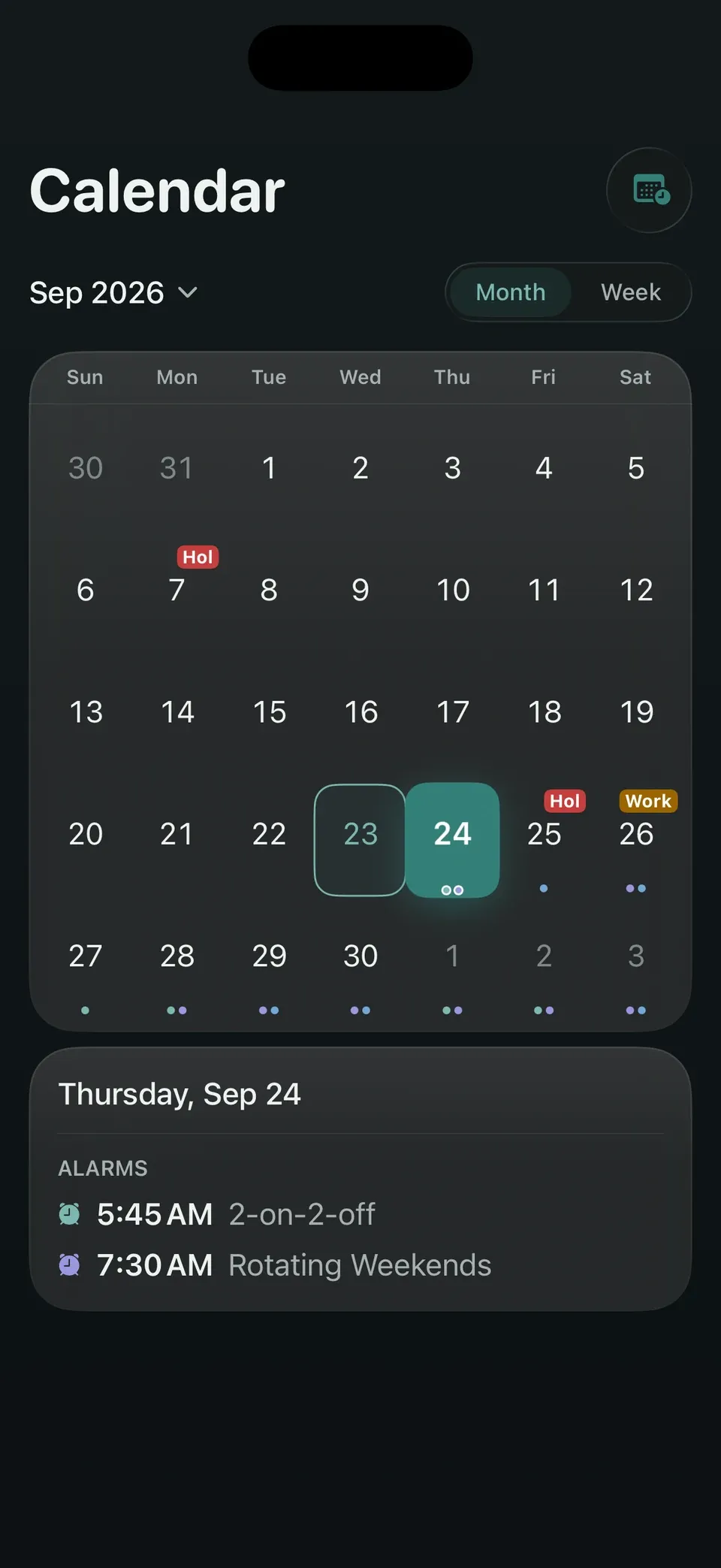
Skips public holidays automatically and rings on make-up workdays, following official schedules.
TRIAL
Free
$0
Pro
7-day free trial on yearly
iCloud sync turns on — alarms, rotations and holiday settings stay in sync across devices.
We notify you before it ends. No silent charges.
Cancel before then and your shift alarms keep working.
Plans and prices are shown in the App Store. Cancel anytime in Settings.
FAQ
The stock alarm only repeats by weekday. OnDot Alarm expresses alternating weeks, arbitrary n-week cycles and shift rotations — and skips public holidays while ringing on make-up workdays.
Official public-holiday calendars are bundled with the app, and new years are filled in from the cloud once they are announced — no app update needed. You pick your region and can maintain custom rest days and workdays.
Alternating weeks, shift rotations and holiday skip are all free, with no limit. Pro adds iCloud sync, every Pro feature we ship next, and support for this indie app’s continued development — the yearly plan includes a 7-day free trial.
With Pro, your roster syncs over iCloud. Sign in with the same Apple Account on the new device and it’s back.
Anytime in iPhone Settings → App Store subscriptions. You keep Pro until the current period ends — not a day is wasted.
No. Your roster lives on your device and in your own iCloud. No accounts, no ads, no tracking.